Single-Column Screen Changer for Plastic Filament Extrusion Machines
Today we'll discuss the application of single-column screen changers in filament extrusion machines. Many operators have likely encountered these challenges: screen changes taking too long and impacting production efficiency, or poor filtration causing product quality fluctuations. While these issues may seem minor, they directly affect factory output and profitability.
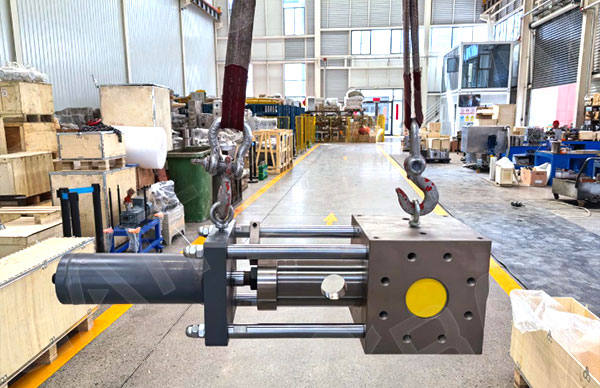
Common Issues and Solutions
Many users report initial pressure fluctuations after screen changes. This typically stems from a brief adjustment period between the new screen and the system. We recommend reducing filament drawing speed for the first 10 minutes post-change, then resuming normal production parameters once pressure stabilizes. Additionally, regularly inspecting seal wear can prevent unexpected downtime.
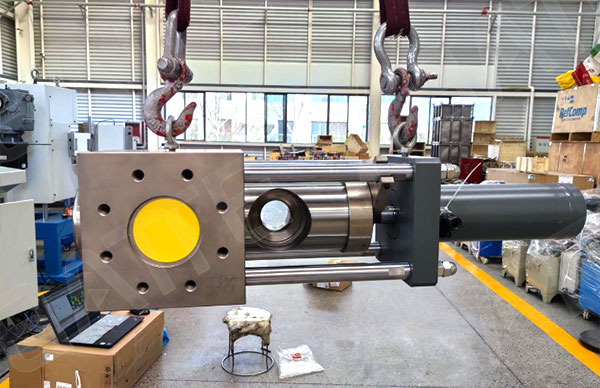
Selection and Maintenance Guidelines
When choosing a single-column screen changer, prioritize compatibility with existing equipment. Opting for a screen changer from the same brand as the drawing machine ensures better interface compatibility. For routine maintenance, check the hydraulic oil level weekly and clean the guide rails and sliding components monthly. These small habits significantly extend equipment lifespan.
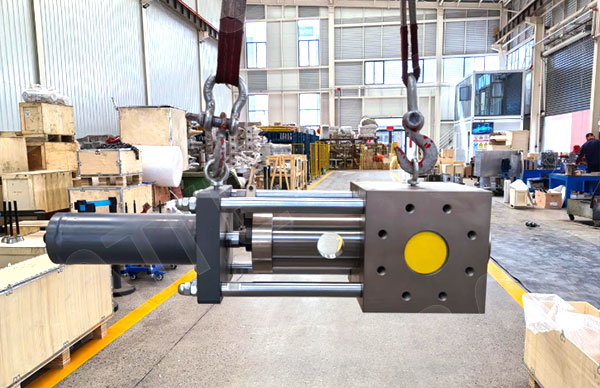
Experienced technicians know that reducing system pressure to the lowest level before changing screens effectively minimizes melt leakage. Additionally, keep a spare set of seals readily available near the screen changer for quick resolution of unexpected issues. Remembering these tips will make your screen changing tasks more efficient and effective.
Email: sale@meltpump.com
WhatsApp: +86 158 3833 1071